PETLIBRO Offline or Not Connecting to Wi-Fi? A Model-Specific Recovery Guide
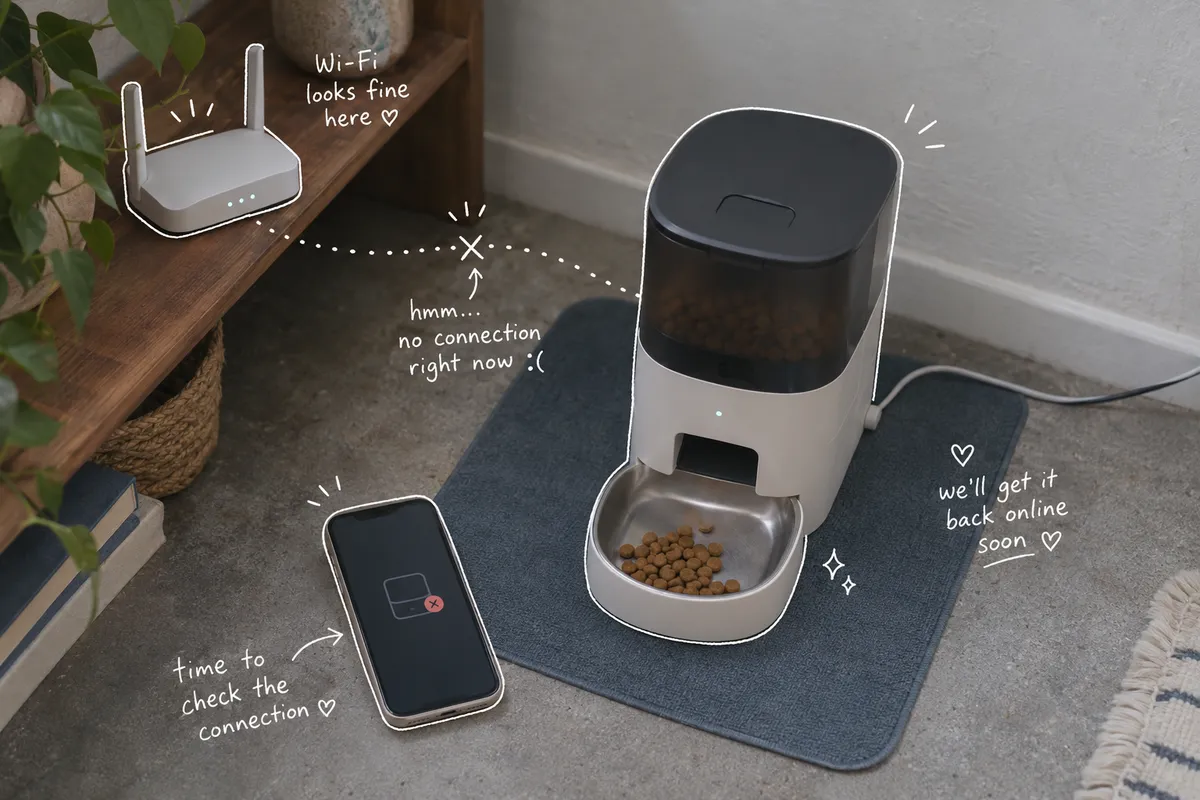
A PETLIBRO offline message does not necessarily mean scheduled feeding has stopped. PETLIBRO says its dry-food feeders store schedules locally and continue saved meals without Wi-Fi while connected to AC power. Polar wet-food feeding has a different limitation: it depends on which meal schedules have already downloaded. Will scheduled feedings still run when the feeder is offline?
Once the next meal is covered, check power and home Wi-Fi before following instructions for your exact model. The manufacturer-documented recovery steps below cover Essential AF101/AF102 and Space AF107. These sources do not establish reset procedures for every PETLIBRO feeder or whether a reset preserves schedules and other settings.
First, make sure the next meal is covered
Before troubleshooting, check the bowl and food supply directly. If you cannot confirm that the next meal will dispense, arrange a manual feeding or ask someone to check on your pet. In a multi-pet household, check each animal’s access to food rather than relying on the app status alone.
Keep these situations separate:
| Situation | What the documentation establishes |
|---|---|
| Dry-food feeder loses Wi-Fi but remains on AC power | Saved schedules continue locally. |
| Polar AF109 loses Wi-Fi but remains on AC power | Downloaded meals can run; later schedule sets must download before they can begin. |
| Feeder runs on batteries only, loses all power, or is reset | Behavior and schedule retention are not established by the sources used here; check the exact model’s documentation. |
These are manufacturer-described operating conditions, not confirmation that food actually dispensed or that your pet ate. Will scheduled feedings still run when the feeder is offline?
Quick checks before resetting
- Check feeding first. Confirm the next meal is covered rather than relying on the app status.
- Check power. Make sure the feeder is connected to power and its cable is seated correctly.
- Check Wi-Fi. Confirm your home network is working and move the feeder closer to the router for reconnection.
- Check the model and app. Use the specific setup requirements for your feeder; do not assume all PETLIBRO models use the same app or Wi-Fi band.
- Try a power cycle before a reset. If that fails, read the model-specific section below and record feeding settings before resetting.
Choose the right troubleshooting path
The feeder has never connected
Start with the exact model number and its required app and network. For Essential AF101/AF102, PETLIBRO specifies Petlibro Lite and 2.4 GHz Wi-Fi. Do not assume those requirements apply to every model. What Should I Do If the Essential WiFi Feeder Shows That It Is Offline
For Space and other models, app and Wi-Fi-band compatibility are not confirmed by the documentation available for this guide. Check the model’s setup instructions before changing router settings.
A previously connected feeder now shows offline
Check whether home Wi-Fi is working and whether the feeder is within router range. PETLIBRO’s general guidance also recommends separating the names, or SSIDs, of the 2.4 GHz and 5 GHz networks to help avoid band-steering problems. This is troubleshooting advice—not evidence that every PETLIBRO feeder requires 2.4 GHz. Why is my feeder offline?
Try a power cycle before a reset. PETLIBRO’s general reconnect instructions say to:
- Remove installed batteries, if present.
- Unplug the device.
- Wait 30 seconds, then plug it back in.
- Place it within 15 feet of the router during reconnection.
That distance is reconnection guidance, not a stated maximum operating range. The page does not specify when to reinstall batteries; consult your model’s power instructions before relying on backup operation. How to Reconnect the Device To the APP?
The app fails, or several devices appear unavailable
Do not treat this alone as proof of a PETLIBRO service outage. The sources used here do not establish a current outage, an official public status dashboard, or a definitive test that separates service trouble from local connectivity trouble.
Check home connectivity and record the app error before making changes. If the cause remains unclear, seek support rather than repeatedly resetting devices.
Essential AF101/AF102: use Lite, 2.4 GHz, and the six-second reset
PETLIBRO’s Essential instructions cover AF101/AF102, also identified as PLAF101/PLAF102.
Before any reset: PETLIBRO’s instructions used here do not establish whether saved feeding schedules, records, or account association are retained. Record your feeding settings first, then verify them after reconnection before leaving the feeder unattended.
Follow the model-specific sequence:
- Check power. Use the original adapter and cable.
- Move near the router.
- Use a 2.4 GHz Wi-Fi network.
- Confirm the app is Petlibro Lite.
- If reconnection requires a reset, press and hold the reset button for six seconds, then reconnect through Lite.
- If the problem recurs, try another phone or a 2.4 GHz phone hotspot.
The support page also suggests testing another adapter and cable, but it does not supply replacement electrical specifications. Confirm compatibility with the model’s documentation or PETLIBRO before substituting power equipment. What Should I Do If the Essential WiFi Feeder Shows That It Is Offline
Space AF107: check power, then use the five-second reset
PETLIBRO’s Space instructions cover AF107/PLAF107.
Before any reset: record your feeding settings and verify them after reconnection. The sources used here do not establish whether Space retains schedules or other settings after a reset.
Follow the model-specific sequence:
- Unplug and reconnect the feeder.
- Check the power equipment. The page suggests trying a different 5V 2A adapter and cord, if possible, to help rule out a power issue.
- Move the feeder into the same room as the router.
- Press and hold reset for five seconds, until the feeder announces “reset successfully” and “ready for Wi-Fi connection.”
- If Bluetooth pairing fails, use the documented alternatives: manual addition or the feeder’s hotspot. How to resolve the “Device Going Offline” issue with the Space Smart F
The feeder’s hotspot pairing method is different from testing Essential on a phone-provided internet hotspot. Detailed screens for Space’s alternative pairing methods were not verified here; follow the exact model’s walkthrough rather than adapting Essential’s procedure.
Space’s Wi-Fi-band requirement is not confirmed by these sources. Check your exact model’s setup instructions before changing router bands.
Other models: do not borrow a reset time
PETLIBRO’s general offline page gives a three-second reset instruction, while its general reconnect page gives five seconds. Neither clearly assigns that timing to every model. Essential’s model-specific page instead specifies six seconds. Why is my feeder offline? How to Reconnect the Device To the APP? What Should I Do If the Essential WiFi Feeder Shows That It Is Offline
For Granary, Air, One RFID, or another model not covered above, consult the exact model’s manual or ask PETLIBRO for its reset procedure. Do not reuse the Essential or Space reset time without confirmation.
How long can Polar AF109 feed offline?
PETLIBRO says each downloaded Polar meal-schedule set can contain up to three scheduled meals. Under AC power, downloaded meals can execute without internet. A subsequent set that has already downloaded can also run, but each new set must download from the server before it can begin.
That means neither of these shortcuts is accurate:
- “Polar always has exactly three meals left when it goes offline.”
- “Auto Repeat keeps repeating indefinitely without internet.”
PETLIBRO explicitly says Auto Repeat does not allow indefinite offline repetition. If you cannot establish which meals have downloaded, arrange feeding coverage rather than assuming future sets are available. Will scheduled feedings still run when the feeder is offline?
When to contact PETLIBRO
Seek support if the correct model-specific procedure does not restore connectivity, offline status keeps returning, or a scheduled meal is missed.
PETLIBRO’s general guidance directs users to PETLIBRO App → Me → Feedback, with Device Logs enabled. If you use another app, including Lite, confirm its support route rather than assuming the menus match. Why is my feeder offline?
For a missed meal, provide:
- The feeder’s serial number.
- The approximate date and time of the missed feeding.
- The known offline period.
PETLIBRO says missing meals from an already downloaded schedule set is not expected while AC power remains available. Cover your pet’s next meal while support investigates. Will scheduled feedings still run when the feeder is offline?
Comparing feeders before buying?
Ask for the exact model’s app, supported Wi-Fi bands, battery-only behavior, offline scheduling limits, and reset-retention rules. Those details are not fully established across PETLIBRO’s range by the sources in this guide. If you rely on unattended feeding, confirm them before purchase and plan who can check on your pet when connectivity or dispensing is uncertain.